
Uttar Pradesh board result 2019 date confirmed; check 10th, 12th result date and time here
Dinesh Goyal | April 25, 2019 | 04:36 PM IST | 1 min read

Top 50+ Entrance Exams After 12th
Explore 50+ important entrance exams after 10+2 across engineering, medical, law, and more. Don’t miss key opportunities to plan your career and secure admission in top colleges.
Check Now
NEW DELHI, APRIL 25: The UP board has officially confirmed the date of 10th, 12th class result 2019. The result will be announced on April 27, 2019 at 12:30 pm. Around 58 lakh candidates will be able to access their result on the UP board official websites: upmsp.edu.in or upresults.nic.in. Candidates can also check their UP board 10th, 12th result via SMS on mobile. UP board official website may slow or unresponsive due to large traffic and candidates can face the problem. In such a condition, candidates should check their result on other third-party websites.
Click here to check UP board result 2019 and live updates for class 10th, 12th
Steps to check UP Board result 2019 for class 10th, 12th -
Click to check UP Board Result or go to official site - upmsp.edu.in
Click on the link named as 'Parikshafal' at the top of the homepage.
Select the link for 10th or 12th result.
It will direct you to the login window as shown here:
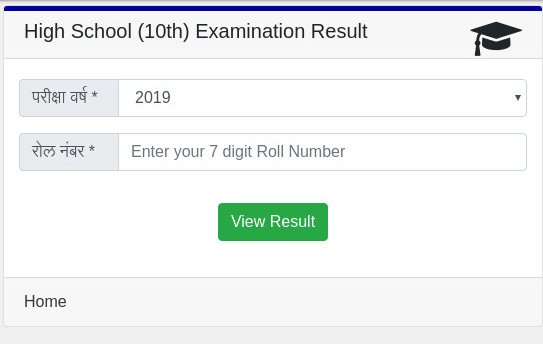
Enter the year and the 7-digit roll number.
Click on the 'view result' button.
The result will be displayed on the screen.
The board has set the link on the official website and it will live after the result declaration:
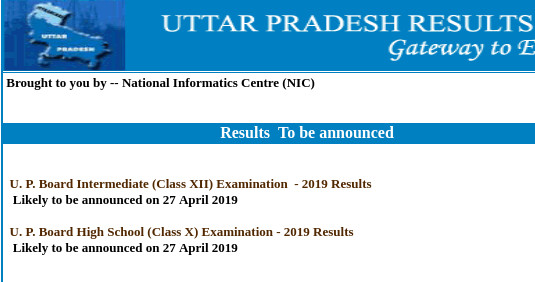
Board has also provided with the facility of checking the result via text message from the phone. To check, follow the format given below -
- Type UP10<space>ROLLNUMBER and send it to 56263.
- Type UP12<space>ROLLNUMBER and send it to 56263
Students can check their result on the following official sites -
http://upresults.nic.in/
https://upmsp.edu.in/Results.aspx
 Add as a preferred source on google
Follow us for the latest education news on colleges and universities, admission, courses, exams, research, education policies, study abroad and more..
To get in touch, write to us at news@careers360.com.
Latest Education News
]


