
Fake DigiLocker, CISCE marksheet portal flagged; users warned against sharing details
Ruchika Kumari | May 22, 2026 | 05:20 PM IST | 2 mins read
A fake CISCE-DigiLocker website is allegedly collecting Aadhaar, OTP and personal details through fraudulent marksheet services.
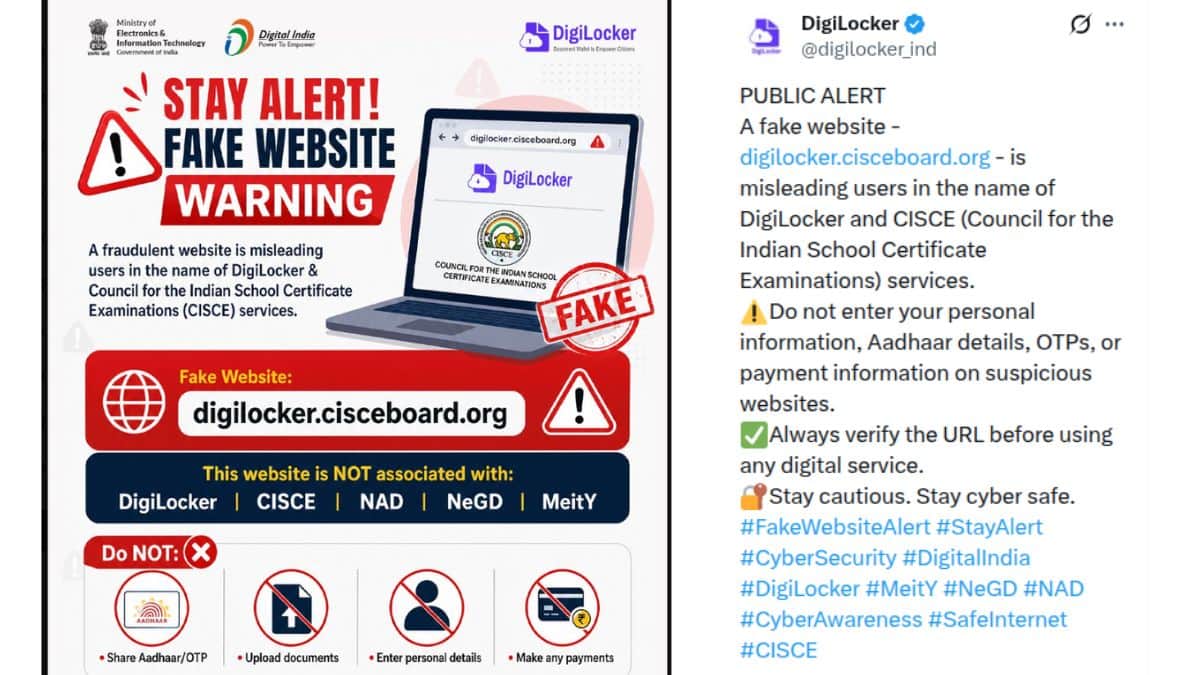
The Ministry of Electronics and Information Technology (MeitY), along with DigiLocker, has issued a public cyber safety warning students against a fraudulent website allegedly impersonating DigiLocker and the Council for the Indian School Certificate Examinations (CISCE). In an official alert shared online on platform X, authorities warned users not to interact with the website 'digilocker.cisceboard.org', stating that the portal is fake. The portal is not associated with DigiLocker, CISCE, National Academic Depository (NAD), National e-Governance Division (NeGD) or MeitY.
“A fraudulent website is misleading users in the name of DigiLocker & Council for the Indian School Certificate Examinations (CISCE) services,” the public advisory stated. Official warning comes at a time when Class 10 and 12 students across the country are accessing online academic records, marksheets and certificates through DigiLocker.
The fake website may attempt to collect sensitive personal information from users in change of providing DigiLocker-related services. Authorities specifically advised students and other users not to share Aadhaar details, OTPs, personal information, documents or payment-related information on suspicious portals.
The advisory prominently stated: “Do NOT share Aadhaar/OTP”, “Do NOT upload documents”, “Do NOT enter personal details” and “Do NOT make any payments”. Officials also urged users to verify website URLs carefully before using any digital education or document-related service. “Always verify the URL before using any digital service,” the warning said, accompanied by the hashtag “#VerifyBeforeYouTrust”.
Also read CISCE schools can continue to teach foreign languages as 3rd option: Board secretary
How to download Class 10, 12 marksheet using DigiLocker?
To download your CISCE (ICSE/ISC) marksheet through DigiLocker or the official portal:
- Visit DigiLocker portal digilocker.gov.in
- Sign in using your mobile number and OTP
- Go to the “Issued Documents” or “Search Documents” section
- Select CISCE from the list of education boards
- Enter required details such as: Year of passing, UID/Index Number
- Your ICSE/ISC digital marksheet and certificate will appear
- Download the PDF or save it to your DigiLocker account
Students and parents have been advised to use only official DigiLocker platforms and verified education board websites while accessing marksheets or certificates online.
 Add as a preferred source on google
Follow us for the latest education news on colleges and universities, admission, courses, exams, research, education policies, study abroad and more..
To get in touch, write to us at news@careers360.com.
Next Story
]Latest Education News
]Related News
]Board Exam Timetable 2027 LIVE: UP, TN 10th, 12th exam dates out; BIEAP, CBSE, Maharashtra exam schedule
AP Inter Time Table 2027 LIVE: BIEAP 1st, 2nd year schedule soon at bie.ap.gov.in; marking scheme, rules
CBSE Date Sheet 2027 LIVE: 10th, 12th board exam schedule soon; simple papers, passing marks


